Recording a meal
Recording meals keeps a picture of your phenylalanine (Phe) intake over the day. The more consistently you record, the more useful the picture is for you and your care team.
How to record a meal
- Open the Diet section from your dashboard.
- Choose Add meal and pick the time of day.

- Add each food or drink, with its amount.
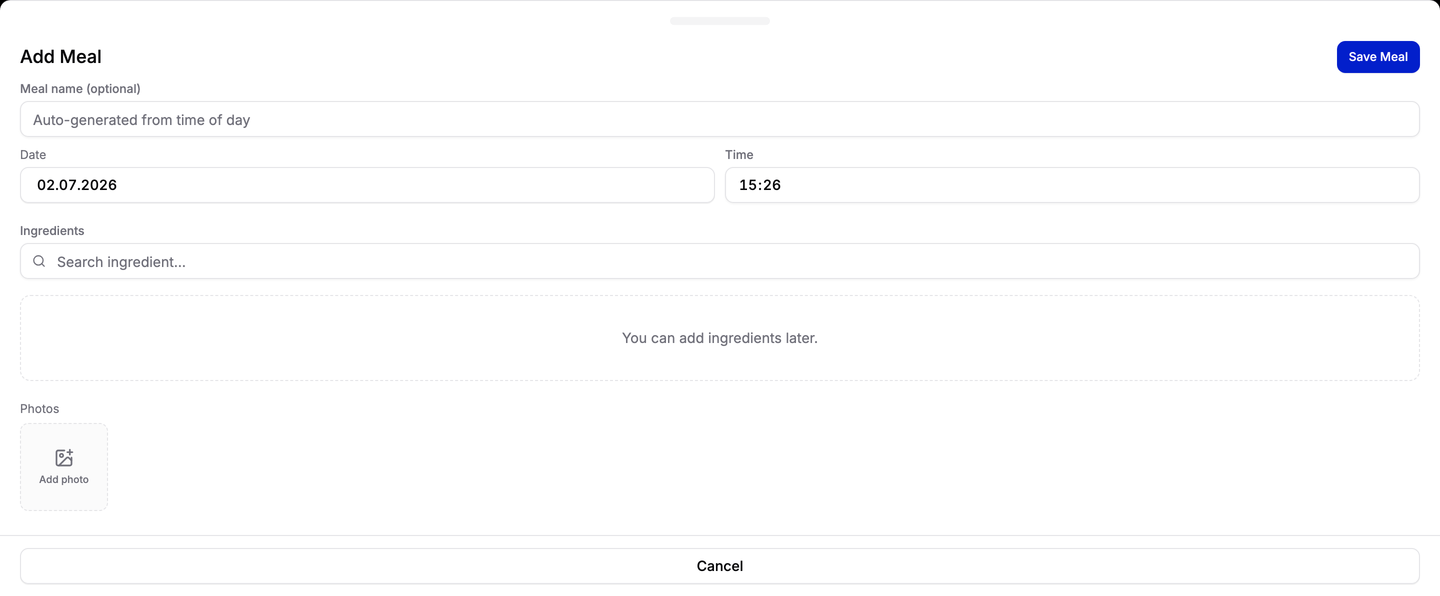
- Save. The meal now appears in your daily overview.
Tips for accurate records
- Record as you go. It is easier to add a meal right after eating than to remember everything at the end of the day.
- Use amounts you can measure. Weights or common household portions are more useful than rough guesses.
- Do not worry about being perfect. A steady, honest record is more valuable than an occasional exact one.
If you are a Guardian
When you care for a Dependent, first make sure the correct person is chosen as your Selected
Dependent, then record the meal as above. It is stored against that Dependent, not against you.
